
Consolidated Invoice Submission Guidelines
Overview
Businesses are required to submit a Consolidated Invoice before the 7th of each month.
A Consolidated Invoice includes all bills that meet the following criteria:
- Clinic received payment directly from the patient.
- Bill total amount not fully claimed from panel.
- Patient did not request an individual E‑Invoice.
MyInvois System Restrictions
When preparing consolidated invoices, note the following upload limits:
- Maximum 100 documents per batch.
- Combined batch size must not exceed 5 MB.
- Each document must be ≤ 300 KB.
Steps to Submit a Consolidated Invoice
1. Access the Module
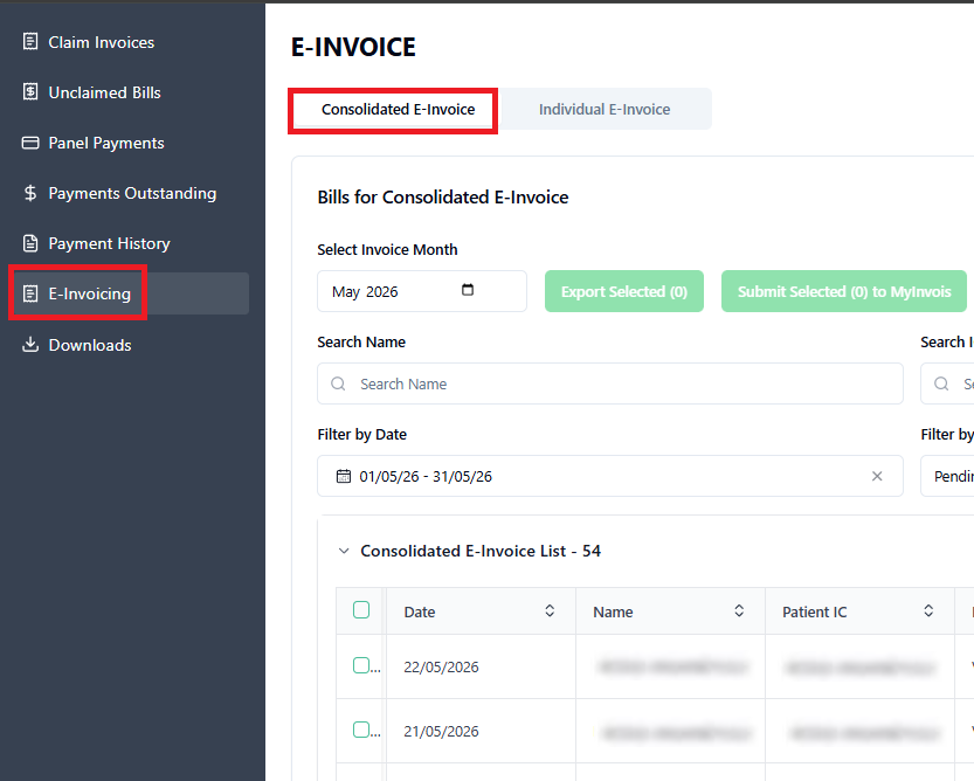
- Navigate to Accounts > E‑Invoicing > Consolidated E‑Invoice.
2. Select Invoice Month
- Choose the correct Invoice Month.
- Optional filters: Date and Status.

3. Choose Bills for Submission
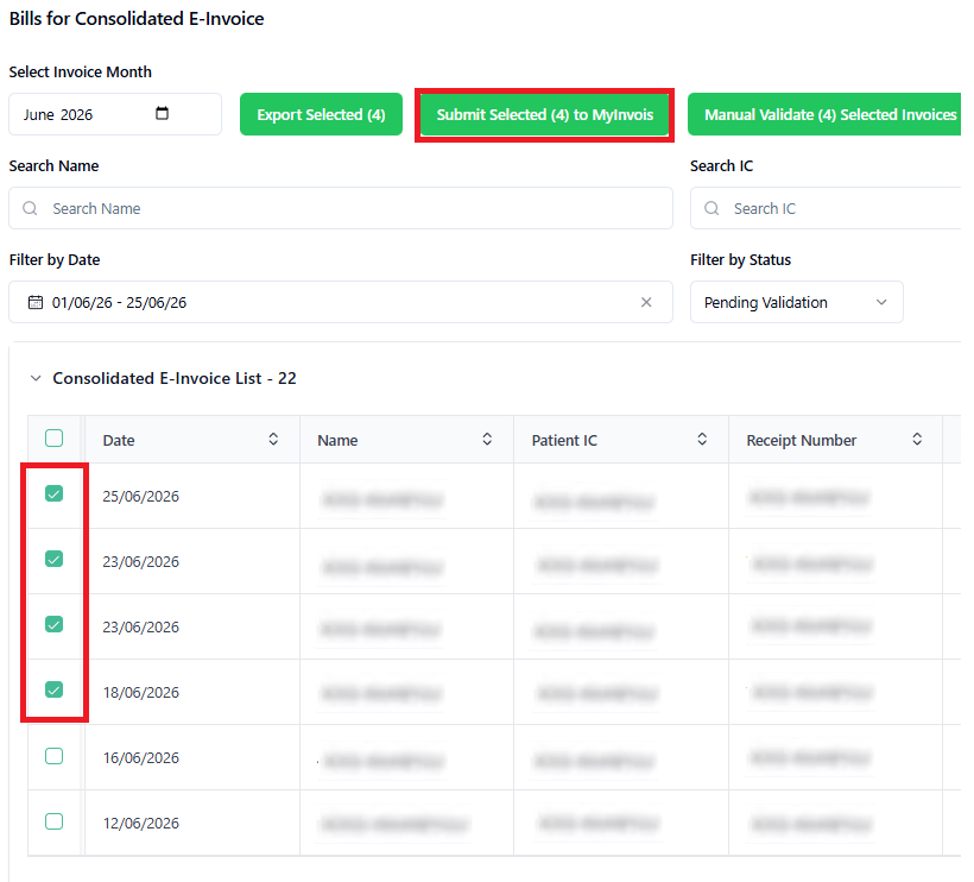
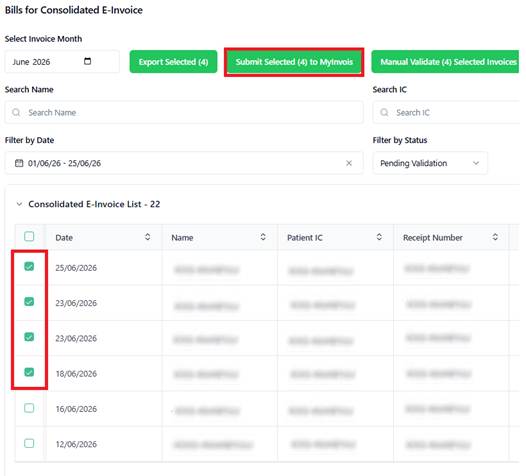
- Tick all bills to be included.
- Click Submit Selected to MyInvois.
4. Review Submission Status
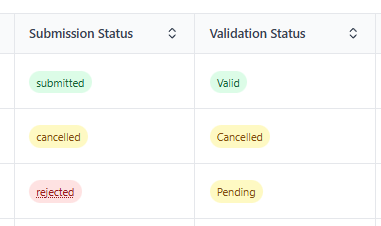
- Each invoice displays Submission Status and Validation Status.
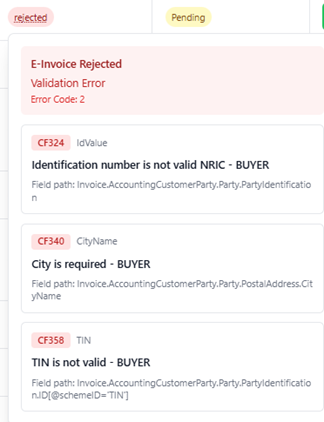
- Rejected invoices: Hover over “Rejected” to view the reason. Correct and re‑submit.
- Successful invoices: Status shows Submitted and Valid.

- Cancelled invoices: If submitted accidentally, click Cancel Submitted. Status updates to Cancelled.

- Use View for detailed invoice information.
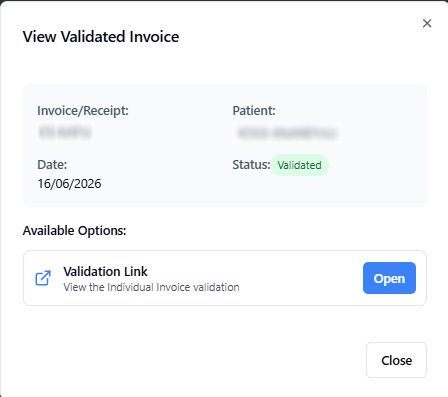
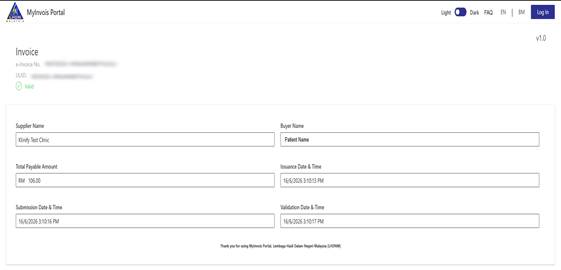
- A direct Validation Link to MyInvois portal is available via Open.
5. Re‑Submission
- Cancelled or rejected invoices can be re‑submitted by ticking the preferred bills.
6. Manual Submission (Optional)
- Clinics may also submit invoices manually.
- For instructions, see: [Manual Guide].
If you need further assistance, feel free to contact Klinify Chat Support via the icon.
Jika anda memerlukan bantuan, sila hubungi Klinify Chat Support melalui ikon