
Issue
Users may notice incorrect inventory or stock counts when prescribing. This issue occurs due to negative numbers in certain batches.
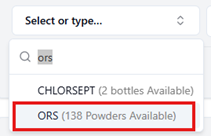
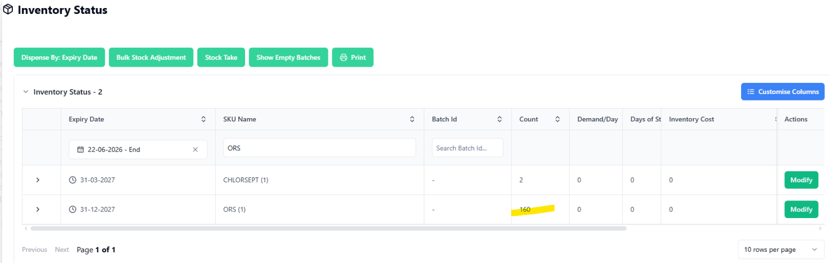
Steps to View Correct Inventory Count
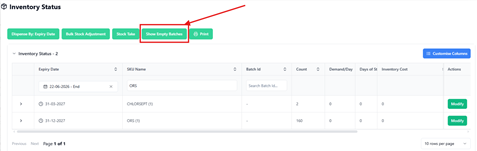
- Navigate to the Inventory section.
- Open Inventory Status section.
- Click on “Show Empty Batches”.
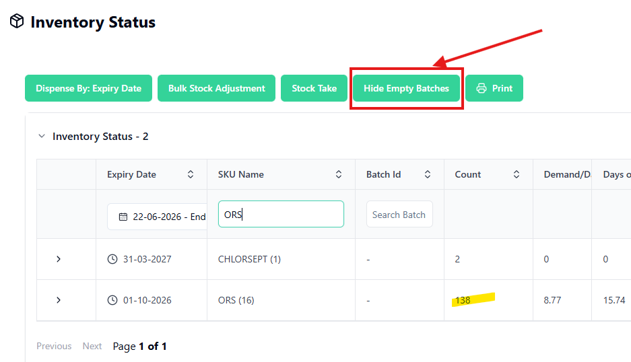
- Review the updated inventory numbers.
Outcome
Once “Show Empty Batches” is enabled, your inventory numbers will tally correctly with prescriptions.
Note:
If discrepancies persist after following these steps, please contact our support team for further assistance.